-
[kotlin] interface Listener로 event listener 구현해보기Android📱 2022. 3. 4. 13:00
오늘의 학습
리스너 이벤트는 옵저버 패턴을 통해서 구현이 되어있다.
상위 객체에서 하위 객체를 감시하며 이벤트가 일어날 때 신호를 받으면 그에 맞는 함수를 호출해서 이벤트가 일어나게 해 준다.일단 리스너를 구현해보자
리스너는 인터페이스로 구현을 한다.인터페이스 리스너
interface Listener {
    fun notifycation(str: String)
}
모든 인터페이스들이 그렇듯 결합도를 낮춰주고 커스텀뷰의 재사용성을 올려줄 수 있다.
notifycation()으로 커스텀 뷰에서 터치가 일어났을 때 메인 액티비티에 알려주는 역할을 한다.MainActivity
import androidx.appcompat.app.AppCompatActivity
import android.os.Bundle
import android.util.Log
import androidx.constraintlayout.widget.ConstraintLayout

class MainActivity : AppCompatActivity(), Listener {

    lateinit var customView: Custom

    override fun onCreate(savedInstanceState: Bundle?) {
        super.onCreate(savedInstanceState)
        setContentView(R.layout.activity_main)
        customView = Custom(this, this)
        val layout = findViewById<ConstraintLayout>(R.id.custom_view)
        layout.addView(customView)
    }

    override fun notifycation(str: String) {
        customView.setStr(sign)
        customView.invalidate()
    }

}
Listener를 상속받은 메인 액티비티를 만든다.
메인 액티비티에서는 커스텀 뷰를 추가해준다.
setContentView()가 액티비를 만들고 커스텀뷰를 부른 후 메인 액티비티에 addView를 해준다.
그러면 커스텀뷰가 메인 액티비티에 추가된다.
notifycation()으로 터치가 일어날 때 바꾸고 싶은 문자열을 커스텀 뷰로 보내서 str을 바꿔주고 invalidate()를 불러준다.
초기화를 위해 중요한 작업이다.
invalidate()이 없으면 아무 일도 안 일어남Custom View
import android.content.Context
import android.graphics.Canvas
import android.graphics.Color
import android.graphics.Paint
import android.util.Log
import android.view.MotionEvent
import android.view.View

class Custom : View {
    lateinit var listener: Listener
    constructor(_listener: Listener, context: Context?) : super(context) {
        listener = _listener
    }
    var str = "yet"

    override fun onDraw(canvas: Canvas?) {
        super.onDraw(canvas)
        val paint = Paint()
        paint.color = Color.BLACK
        paint.textSize = 100F
        canvas!!.drawText(str, 200F, 200F, paint)
    }

    override fun onTouchEvent(event: MotionEvent?): Boolean {
        when(event!!.action){
            MotionEvent.ACTION_DOWN -> {
                notice("ACTION_DOWN")
            }
            MotionEvent.ACTION_MOVE -> {
                notice("ACTION_MOVE")
            }
            else -> {
                performClick()
                notice("ELSE")
            }
        }
        return true
    }

    fun setStr(sign: String) {
        str = sign
    }

    fun notice(str: String) {
        listener.notifycation(str)
    }

}
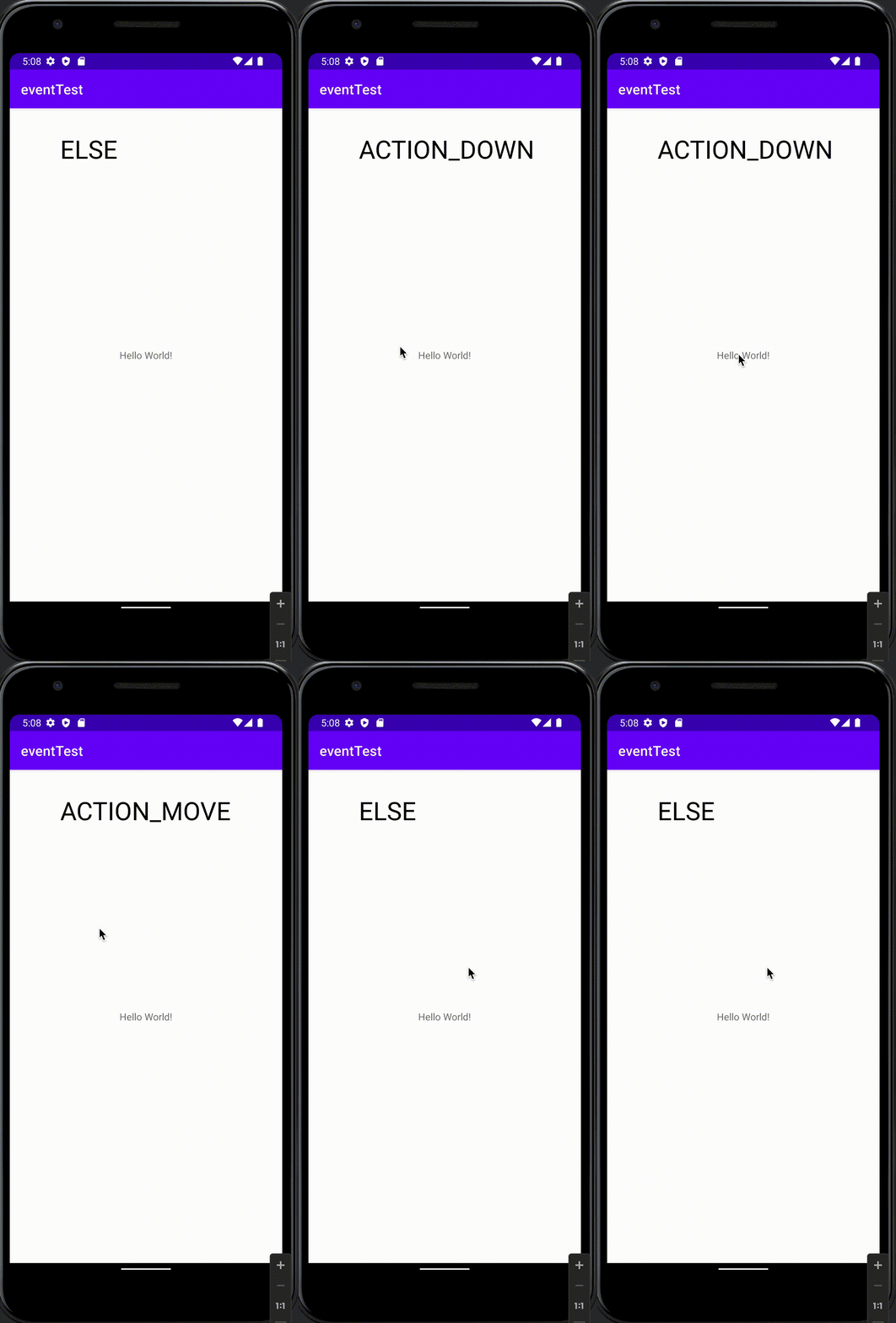
Listener를 받아서 초기화하고 override 된 onTouchEvent로 어떤 터치가 일어났는지 확인하고
Listenr를 이용해서 notifycation을 불러 str을 바꾸고 notifycation에 있는 invalidate를 통해서 다시 onDraw가 호출되어 화면을 다시 그리게 된다.결과
학습 키워드
- 옵저버 패턴
- 이벤트 리스너
- 뷰의 생명주기
- invalidate()
- onDraw()
- interface 상속
- performClick()
'Android📱' 카테고리의 다른 글
[안드로이드 오류] Cannot resolve symbol (0) 2022.03.12 [Adroid] Live Data 실험해보기 (0) 2022.03.09 [Android] Call Back 함수공부 (0) 2022.03.06 Android 이벤트 리스너의 기원.....과연 어디까지 가는것인가 (0) 2022.03.05 안드로이드 View의 생명주기 (0) 2022.03.03